
You list one place on Airbnb, Vrbo, and Booking.com to keep it full. Smart for occupancy, punishing for cleaning. Now a single Sunday checkout can appear on three calendars, and if you are the human relay between those calendars and your cleaner, you are the thing most likely to miss one, or forward the same one twice and get a "wait, is this the same job?" text back.
The reliable version of this is not a better spreadsheet. It is removing yourself as the relay. Let the calendars talk to the schedule directly.
The short version
- Paste an iCal link from each channel into the property, once.
- Every checkout becomes a cleaning job automatically.
- The same booking on multiple calendars collapses to one turnover per property per day.
- Moved or cancelled bookings reschedule or cancel themselves, and stale reminders are cleared.
Why manual calendar-watching breaks
A text-based workflow has three failure points, and a busy host hits all of them eventually. You forget to check a calendar the day a late booking lands. You forward a checkout your cleaner already knew about from another channel. Or a guest moves their dates, you never catch it, and your cleaner shows up on the wrong day. Every one of these is a human keeping several calendars in their head. Software does not get tired on a Friday night.
Connect each calendar once
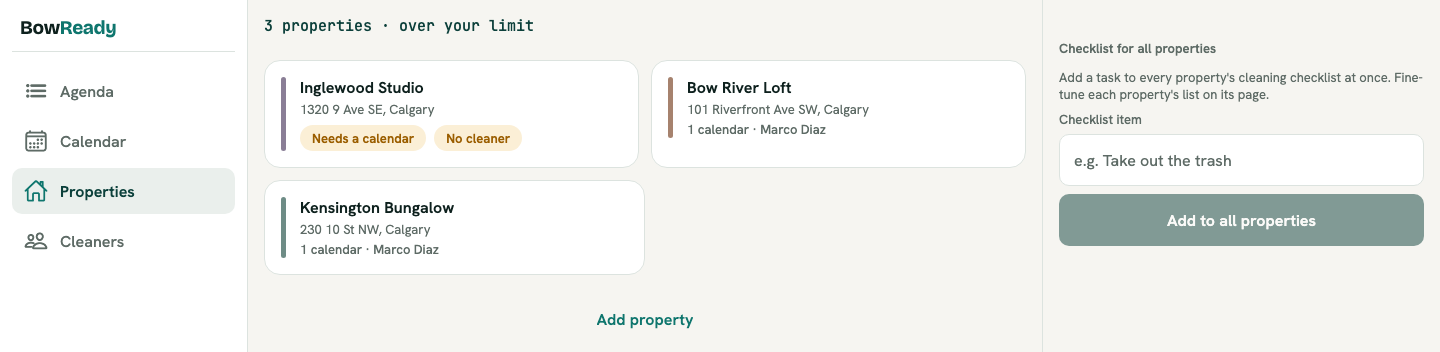
Each property holds one or more feeds, one per channel. You paste the iCal link, tag it with the channel it came from, and you are done.
What it does
- Reads a standard iCal feed from each source you connect.
- Works with any iCal-based platform: Airbnb, Vrbo, and Booking.com directly, plus Guesty, Hospitable, OwnerRez, Hostaway, Evolve, and Tokeet.
- Lets a property carry several feeds at once, because most hosts list in more than one place.
How it works
- Copy the iCal export URL from your channel and paste it into the property.
- Tag it as Airbnb, Vrbo, or other, so the source is visible later.
- Add as many feeds as the property has. From then on, checkouts flow in on their own.
Every checkout becomes a job automatically
Once a feed is connected, a checkout date turns into a cleaning job without you touching anything. The job carries the address, the access code, the deadline, and your standing notes, and it is assigned to the property's cleaner the moment it is created.
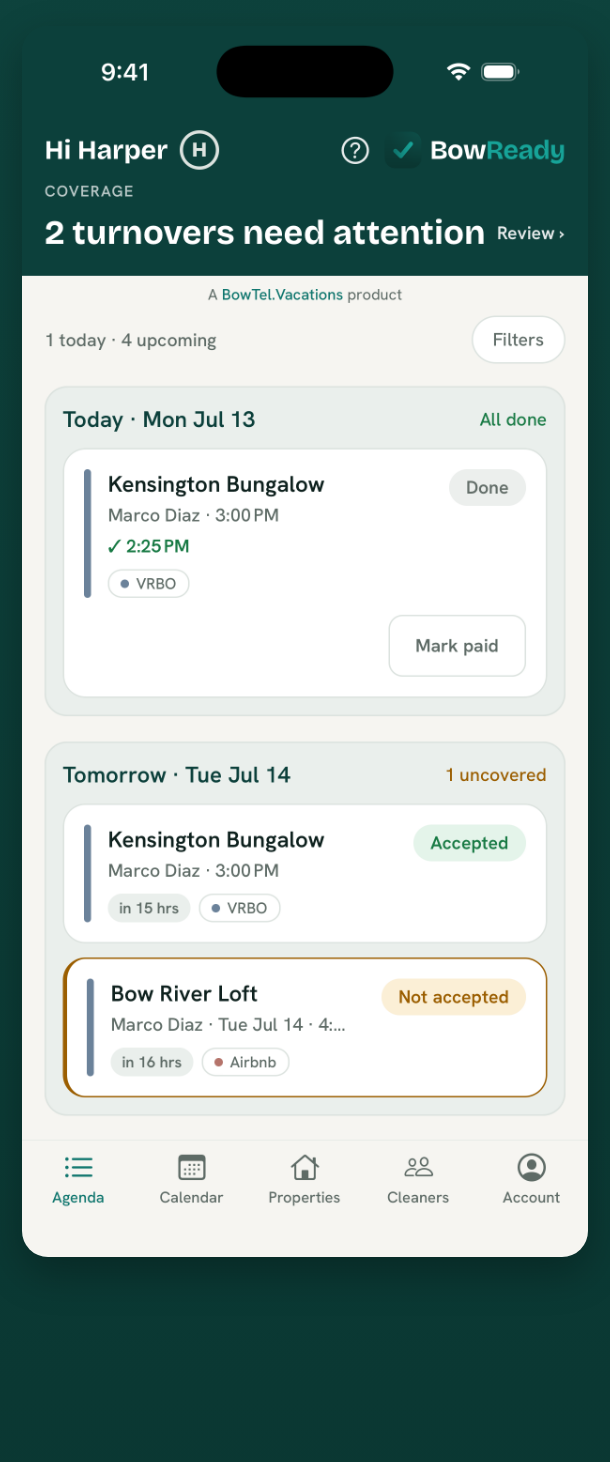
Your cleaner is reminded on assignment, again 24 hours before, and again 2 hours before the deadline, all in the property's local time. That last part matters when you own places in more than one time zone.
The same checkout on two calendars becomes one job
This is the quiet feature that saves the most confusion. When the same checkout shows up on two or three connected calendars, BowReady does not create two or three jobs. It collapses them into a single turnover for that property and date. Your cleaner sees one job, is pinged once, and never has to ask which of the identical-looking messages is the real one.
Moves and cancellations handle themselves
A guest extending a night, cutting a trip short, or cancelling outright is normal, and each one used to mean a fresh round of texts.
- A moved booking reschedules the turnover, re-notifies your cleaner, and cancels the reminders tied to the old date.
- A cancelled booking cancels the job. Your cleaner is only told if they had already accepted it, so you are not sending "never mind" pings for jobs they never saw.
Because re-reading a calendar always lands on the same result, none of this drifts. Run the check a hundred times and the schedule stays exactly where it should be.
Before and after
Before: three tabs open, Airbnb in one, Vrbo in another, Booking.com in a third, plus a text thread where you paste in each new checkout by hand and hope you did not miss one or send the same job twice.
After: you paste three iCal links once. Every checkout, from any of the three, becomes one clean job with the cleaner already assigned. When a guest moves a date, the schedule moves with it and you find out from a notification, not from a cleaner standing at the wrong door.
"I cross-post everything, so I was terrified of sending my cleaner the same job twice. The first week I kept opening the app to check for repeats and there just weren't any. It merges the ones that are the same booking. That was the moment I stopped texting my cleaner."
A host with four listings across two platforms
Bottom line
The most fragile part of turnover cleaning is a person copying dates between calendars. Connect each feed once, let every checkout become one job even when it lands on several calendars, and let moves and cancellations keep the schedule honest on their own. You stop being the relay, and nothing gets dropped when you are busy.
Prefer to set this up on a bigger screen? Connect your calendars in the Web Portal, then check them from your phone.
Collapsing duplicates is one of seven ways a turnover comes apart. The rest, including the three that happen after the cleaner arrives, are in the seven ways a turnover gets missed.
Ready when your guests are.
Download BowReady and give every turnover a clear owner.
Frequently asked questions
Which booking platforms does BowReady work with?
Any platform that gives you an iCal calendar link. That includes Airbnb, Vrbo, and Booking.com directly, plus channel managers and PMS tools like Guesty, Hospitable, OwnerRez, Hostaway, Evolve, and Tokeet. You paste one link per source into the property.
My listing is cross-posted on Airbnb and Vrbo. Will my cleaner get pinged twice?
No. When the same checkout appears on more than one connected calendar, BowReady collapses it into a single turnover for that property and date. Your cleaner is notified once.
What happens when a guest changes their dates?
BowReady reschedules the turnover to match, notifies your cleaner of the new time, and cancels any stale reminders from the old date. A cancellation cancels the job, and your cleaner is only told if they had already accepted it.
How often does BowReady check my calendars?
On a regular automatic schedule, with no button for you to press. Re-checking a calendar always converges to the same result, so a booking is never turned into two jobs or notified twice.